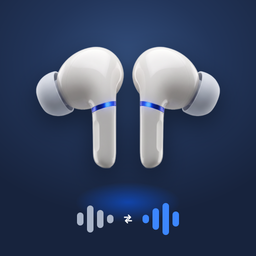
Live Translation Japanese to English: AirPods, iPhone, and Real Phrases to Test
Live translation Japanese to English on iPhone and AirPods: what Apple supports, the iPhone and AirPods you need, setup steps, and what to use on older devices.
On this page
- Does Apple Live Translation support Japanese?
- What you need for Japanese to English on AirPods
- How to set up Japanese to English live translation
- Japanese to English on an older iPhone or other headphones
- Japanese phrases to test before your trip
- How accurate is Japanese to English live translation?
- Translate Japanese to English with what’s already on your iPhone
- Quick answers
Live translation from Japanese to English means a person speaks Japanese and you hear English in your ears a moment later. Travelers want it for train stations, small restaurants and hotel desks in Japan. Others want it for a Japanese coworker, a host family, or in-laws in Osaka.
The good news: Japanese is one of the languages Apple’s Live Translation with AirPods supports. The catch is the hardware. You need a recent iPhone and the right AirPods, and many people have one but not the other. This page covers both paths.
Short answer: Yes. Apple’s Live Translation with AirPods translates Japanese to English on an iPhone 15 Pro or later with Apple Intelligence turned on, iOS 26 or later, and AirPods 4 with ANC, AirPods 5, AirPods Pro 2, AirPods Pro 3 or AirPods Max 2. Apple added Japanese with iOS 26.1. On older iPhones, older AirPods or other headphones, an app that uses Apple’s on-device translation can play Japanese to English in your ears on iOS 18 or later.
Does Apple Live Translation support Japanese?
Yes. Apple’s feature availability page lists Japanese for Live Translation with AirPods. It was not there at launch in September 2025. It arrived with iOS 26.1, together with Chinese, Italian and Korean.
Japanese also appears in Apple’s lists for Live Translation in the Phone app, FaceTime and Messages. Those are separate features with their own settings, but they need the same Apple Intelligence iPhone.
| Apple feature | Japanese to English? | Where it plays |
|---|---|---|
| Live Translation with AirPods | Yes | In your AirPods, in person |
| Live Translation in Phone and FaceTime | Yes | During a call |
| Live Translation in Messages | Yes | Text in your chats |
| Translate app, Conversation | Yes | On the iPhone screen and speaker |
What you need for Japanese to English on AirPods
Apple’s feature needs every item below. If one is missing, the Live option will not show up or will not start.
| Requirement | What Apple asks for |
|---|---|
| iPhone | iPhone 15 Pro or later, with Apple Intelligence turned on |
| Software | iOS 26 or later (iOS 27 is current), with the Translate app installed |
| AirPods | AirPods 4 with ANC, AirPods 5, AirPods Pro 2, AirPods Pro 3 or AirPods Max 2, on the latest firmware |
| Languages | Japanese and English downloaded to the iPhone |
iPhone 15 and iPhone 15 Plus are not on the list, and neither is any iPhone 14 or older. AirPods 2, AirPods 3, AirPods 4 without ANC and the original AirPods Pro are left out too. Every model is covered in our Live Translation on AirPods guide.
How to set up Japanese to English live translation
- Put in your AirPods and connect them to your iPhone.
- Go to Settings and tap your AirPods name, then Live Translation (Beta). Download Japanese and English. Do this on Wi-Fi before your trip.
- Make sure Apple Intelligence is on in Settings > Apple Intelligence & Siri.
- Open the Translate app and tap Live.
- Set the language being spoken to Japanese and the language you want to hear to English.
- Tap Start Translation. You can also press and hold both AirPods stems, or say “Siri, start Live Translation.”
When you reply, speak English. Your iPhone shows the Japanese text and can read it out loud, so the other person hears Japanese. Once both languages are downloaded, the translation runs on the iPhone itself.
Japanese to English on an older iPhone or other headphones
This is where most people get stuck. An iPhone 13, 14 or base iPhone 15 can run iOS 26 and iOS 27, but it cannot run Apple Intelligence. So Apple’s AirPods feature never appears, even with AirPods Pro 3.
Apps can still do it. Our app, Live Translation on Headphones, uses Apple’s on-device speech and translation tools, which do not need Apple Intelligence. The other person speaks Japanese, and you hear English in your headphones about a second later while they keep talking. Each phrase shows on screen with its English translation below it.
| Your setup | Apple’s AirPods feature | Live Translation on Headphones app |
|---|---|---|
| iPhone 15 Pro or later + AirPods Pro 2 or 3 | Yes | Yes |
| iPhone 15 Pro or later + AirPods 2, 3 or Beats | No | Yes |
| iPhone 11 to 14, iPhone 15 or 15 Plus | No | Yes |
| Japanese to Turkish or Arabic | No | Yes |
The app also works offline once Japanese is downloaded, keeps going with the screen locked, and uploads no audio or text. If you already have a supported iPhone and AirPods and only need Japanese and English, Apple’s built-in feature is a fine choice and you may not need anything else.
Japanese phrases to test before your trip
Try these at home with a friend or a video before you rely on it in Japan. Short, clear sentences translate best.
| Japanese | Sounds like | English |
|---|---|---|
| すみません、英語を話せますか? | Sumimasen, eigo o hanasemasu ka? | Excuse me, do you speak English? |
| この電車は新宿に行きますか? | Kono densha wa Shinjuku ni ikimasu ka? | Does this train go to Shinjuku? |
| 予約しています。 | Yoyaku shite imasu. | I have a reservation. |
| いくらですか? | Ikura desu ka? | How much is it? |
| お会計お願いします。 | Okaikei onegaishimasu. | The check, please. |
How accurate is Japanese to English live translation?
Good for everyday talk, less so for long, fast speech. Japanese often leaves out the subject of a sentence, so a translation may guess “I” when the speaker meant “you” or “we.” Very polite shop and hotel language can also come out stiff in English.
A few habits help:
- Get close. Hold the iPhone near the speaker in a noisy station or izakaya.
- Ask for short sentences. ゆっくりお願いします (yukkuri onegaishimasu) means “Slowly, please.”
- Read along. The text on screen lets you check names, numbers and times.
- Use it for daily life, not for contracts, legal papers or medical decisions. Use a human interpreter for those.
Translate Japanese to English with what’s already on your iPhone
Any iPhone with a recent iOS has Apple’s Translate app. Its Conversation mode handles Japanese and English on the speaker: tap Conversation, pick the two languages, turn on Auto Translate, and set the view to Face to Face. It works for quick questions at a counter. It does not play in your ears while the other person keeps talking.
The Translate app’s Camera tab is handy in Japan too, for menus, ticket machines and signs.
The app is made by Little Tough LLC, not Apple. For every language Apple and the app support, see our live translation languages guide. Planning to use Mandarin as well? Read Live Translation Chinese to English.
Quick answers
Does AirPods live translation work with Japanese? Yes. Japanese has been supported since iOS 26.1, on an iPhone 15 Pro or later with Apple Intelligence and AirPods 4 with ANC, AirPods 5, AirPods Pro 2, AirPods Pro 3 or AirPods Max 2.
Can I live translate Japanese to English on AirPods Pro? On AirPods Pro 2 and AirPods Pro 3, yes, with a supported iPhone. The original AirPods Pro does not support Apple’s feature, but a third-party app can play translations in them.
Does Japanese live translation work without internet? Yes, once Japanese and English are downloaded to your iPhone. Apple says processing happens on the iPhone.
Is there an app that translates Japanese to English live? Yes. Apple’s Translate app does it on the speaker. Apps like Live Translation on Headphones play it in your headphones while the other person keeps talking.
Is Apple Live Translation free? Yes. It is built into iOS on supported iPhones, with no extra charge from Apple.
Can it translate English to Japanese too? Yes. Both Apple’s feature and the app work in both directions, so your reply can be read out in Japanese.
Sources: Apple Support: Use Live Translation with your AirPods, Apple: iOS Feature Availability, Apple Support: How to get the next generation of Apple Intelligence, Apple Newsroom: New Apple Intelligence features are available today, App Store: Live Translation on Headphones.