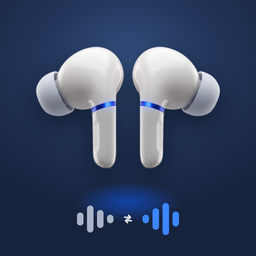
Is Apple Live Translation Free? What It Costs, and the Devices You Need First
Is Apple Live Translation free? Yes: it is built into iOS and the Translate app costs nothing. The real catch is the iPhone and AirPods it needs. Full list here.
Is Apple Live Translation free? You saw the AirPods ad, or a friend used it on a trip, and now you want to know if there’s a fee, a subscription or a paid upgrade hiding behind it.
There isn’t. Apple doesn’t charge for Live Translation or for the Translate app. What decides whether you can use it is not money, it’s hardware: the feature only runs on certain iPhones and certain AirPods.
Short answer: Yes, Apple Live Translation is free. It is part of Apple Intelligence, built into iOS 26 and later, and the Translate app is a free app made by Apple. There is no subscription and no in-app purchase. The catch is the devices: you need an iPhone 15 Pro or later, and for translation in your ears, AirPods 4 with ANC, AirPods 5, AirPods Pro 2, AirPods Pro 3 or AirPods Max 2.
Is Apple Translate free?
Yes. Translate is Apple’s own app, and it comes with iOS. On the App Store it is listed as free, with the developer shown as Apple. If you deleted it, you can download it again at no cost.
That matters for Live Translation, because Apple’s AirPods feature runs through the Translate app. Apple lists “the Translate app installed” as one of the requirements. So if Live Translation won’t start, check that Translate is still on your phone before anything else.
What is free in Apple Live Translation
“Live Translation” is the name Apple uses for several features. All of them come with iOS at no charge on iPhones that support Apple Intelligence.
| Feature | Where you find it | Extra cost |
|---|---|---|
| Live Translation with AirPods | Translate app > Live, or press and hold both AirPods stems | No |
| Live Translation in Phone calls | During a call: More > Live Translation | No |
| Live Translation in FaceTime | During a FaceTime call: More > Live Translation | No |
| Live Translation in Messages | Tap the person’s name > Automatically Translate | No |
| Conversation mode on the speaker | Translate app > Conversation | No |
| Language downloads | Settings > [your AirPods name] > Live Translation | No |
Apple Intelligence itself is also included with iOS. You turn it on in Settings, and Apple doesn’t bill you for it. Phone calls use your normal carrier plan, the same as any other call.
The real cost: the devices it needs
This is where most people get stuck. Live Translation is free, but it only shows up if both your iPhone and your AirPods are on Apple’s list. Here is what Apple requires, from its support page and feature availability page.
| You need | Supported | Not supported |
|---|---|---|
| iPhone | iPhone 15 Pro, 15 Pro Max, every iPhone 16 and 17 model, iPhone Air, iPhone 18 Pro, 18 Pro Max, iPhone Duo | iPhone 15, 15 Plus, iPhone 14 and older, iPhone SE |
| Software | iOS 26 or later, Apple Intelligence on | iOS 18 and earlier |
| AirPods (for the in-ear feature) | AirPods 4 with ANC, AirPods 5, AirPods Pro 2, AirPods Pro 3, AirPods Max 2, with the latest firmware | AirPods 2, AirPods 3, AirPods 4 without ANC, original AirPods Pro, original AirPods Max |
| Languages | 11, including English, Spanish (Spain), French, German, Japanese and Korean | Turkish, Arabic, Spanish (Mexico) and most others |
So the honest answer to “is AirPods live translation free” is: free if you already own the right pair. If you have AirPods 3 or the AirPods 4 model without noise cancellation, there is no download or setting that adds it. Apple ties the feature to the newer AirPods.
The same goes for the iPhone. An iPhone 14 Pro or a regular iPhone 15 can run iOS 26, but they don’t support Apple Intelligence, so the Live option in Translate never appears. Our Live Translation on iPhone guide has the full model list.
Is Live Translation free on iPhone without AirPods?
Partly. On a supported iPhone, you can use Live Translation in Phone, FaceTime and Messages without any AirPods. The in-person Live mode in the Translate app is built around AirPods: you hear the other person in your ears, and your reply plays from the iPhone speaker.
Without AirPods, you can still use the Translate app’s Conversation mode. You speak, it shows and says the translation on the speaker, then the other person answers. It works on older iPhones too, but it goes turn by turn instead of while people talk. We compare the two ways in live translation in person on iPhone.
Does it cost data or need internet?
Apple says that for AirPods Live Translation “all processing takes place on your iPhone.” You download each language once, ideally on Wi‑Fi at home, and after that it doesn’t need to send your conversation anywhere. That also means no data charges while you travel.
To download: go to Settings, tap your AirPods name, tap Live Translation, and choose the languages. Do it before your trip, not at the airport.
Is it worth buying new devices just for Live Translation?
Only you can weigh that, but here is a simple way to think about it.
- You already have a supported iPhone and AirPods. Use Apple’s feature. It’s free, it starts from the AirPods stems, and it stays on your iPhone.
- Your iPhone qualifies but your AirPods don’t. Phone, FaceTime and Messages translation already work for you. For in-person talk, you’d need newer AirPods or another app.
- Your iPhone doesn’t qualify. Apple’s Live Translation features won’t appear at all. A new iPhone is the only way to get them.
- You need Turkish, Arabic or Mexican Spanish in your ears. New devices won’t help, because Apple’s AirPods feature doesn’t offer those languages yet.
If you’re unsure about your exact AirPods, check Settings > Bluetooth, tap the info button next to them, and look at the model name. Our Live Translation on AirPods guide shows which pairs work.
Live Translation on Headphones is made by Little Tough LLC. It is not made by or affiliated with Apple.
Quick answers
Is Apple Live Translation free? Yes. It is built into iOS 26 and later as part of Apple Intelligence, with no subscription or in-app purchase. You need a supported iPhone and, for the in-ear feature, supported AirPods.
Is Apple Translate free? Yes. Translate is made by Apple, comes with iOS and is free on the App Store if you need to download it again.
Is AirPods Live Translation free? Yes, on AirPods 4 with Active Noise Cancellation, AirPods 5, AirPods Pro 2, AirPods Pro 3 and AirPods Max 2, paired with an iPhone 15 Pro or later. Older AirPods can’t get it.
Do you have to pay for Apple Intelligence to use Live Translation? No. Apple Intelligence is included with iOS on supported iPhones. You turn it on in Settings.
Is translate an Apple app? Yes. The Translate app is made by Apple and has been part of iOS since iOS 14.
Does Live Translation use my data plan? Not for AirPods Live Translation once both languages are downloaded, since Apple says processing happens on the iPhone. A translated phone call still uses your normal calling plan.
Sources: Apple Support: Use Live Translation with your AirPods, Apple: iOS Feature Availability, Apple Support: How to get Apple Intelligence, Apple Support: Use Live Translation in the Phone app, App Store: Translate by Apple, App Store: Live Translation on Headphones.